Smart Router
Intelligent AI selection based on context. Code → OpenAI. Writing → Anthropic. Real-time data → Perplexity. Automatically.

SharedChat.ai brings your team and multiple AI models (OpenAI GPT-5.1, Anthropic Claude Opus 4.1, Google Gemini 3.0 Pro, Perplexity) into the same conversation. Smart Router automatically selects the best model for each task. Cross-Check responses with another AI. Humanize content for any format. Real-time streaming. Native iOS app. All in one place.
Free while in beta. No credit card required.
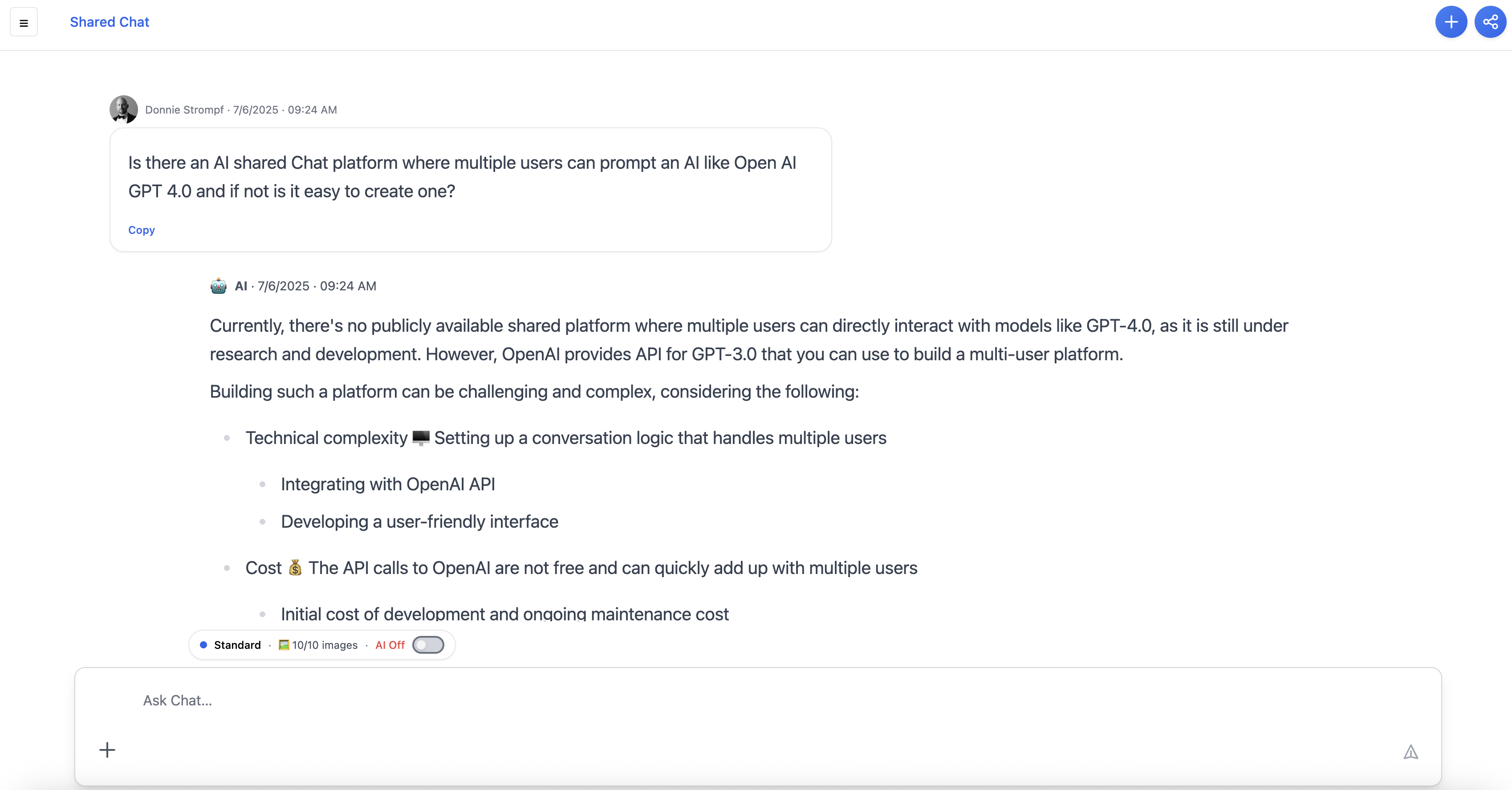
Three unique advantages that competitors simply don't offer
The only platform with built-in AI verification. Fact-check, enhance, or debate any AI response with another model—all without leaving the conversation.
Unique Advantage
No other platform offers in-conversation AI-to-AI verification
Automatic AI selection meets real-time teamwork. Smart Router picks the best model for each task, while your team collaborates in the same conversation.
Unique Combination
Intelligent routing + team collaboration in one platform
Not just AI chat—your entire content creation workflow. From prompt to AI response to verification to formatting to team review, all in one place.
Unique Integration
End-to-end workflow, not fragmented tools
Everything your group needs to think clearly with AI—together.
Intelligent AI selection based on context. Code → OpenAI. Writing → Anthropic. Real-time data → Perplexity. Automatically.
Fact-check, enhance, or debate any AI response with another model. Get multiple perspectives before you decide.
Reformat AI responses for blogs, emails, social posts, or casual conversations. One click, multiple formats.
Watch AI responses stream in real-time. No waiting, no loading screens—just instant, live results.
Add context and rules to threads and folders. Your AI remembers preferences and project details.
Not satisfied? Rerun any response with a different AI model. Compare results side-by-side.
Access real-time data, current events, live prices, and breaking news with Perplexity Sonar integration.
AI-assisted prompt creation that asks clarifying questions to help you get the best results.
PDF and image uploads supported. Shared context across your space.
Get notified instantly when team members prompt AI. Perfect for remote teams across time zones. In-app notifications show "who prompted where" for full visibility.
Native iOS app with push notifications. Stay connected with your team on the go.
Your assistant remembers decisions and context for everyone on the team.
Generate images directly in your chat. More visual features coming soon.
Teams and professionals who need AI collaboration
Stay in sync across time zones with real-time notifications when team members prompt AI
Get visibility into AI usage and team activity—see who prompted where, when
Build on each other's AI-generated ideas with real-time collaboration and notifications
Collaborate on campaigns and content—get notified when teammates create new AI content
Creating blog posts and articles with AI assistance and team collaboration
Debugging code and getting technical help with team visibility
Gathering real-time data and analysis with collaborative insights
Brainstorming and planning with full team visibility
Maintain oversight and transparency around AI usage without being controlling
Productivity and visibility—without micromanagement
Get notified instantly when team members prompt AI in shared threads. Perfect for remote teams across time zones—never miss important AI-generated content.
See AI usage and team activity without being controlling. The in-app notifications section gives you visibility into "who prompted where" for natural oversight.
Turn off AI for regular team conversations while still getting notifications. SharedChat.ai supports the full spectrum of team communication needs—not just AI collaboration, but natural team conversations too.
When everything is unified and visible, work transforms from coordination to true collaboration
You need to know what the team decided. You search, and in 10 seconds you see the full context—the prompt, the response, the feedback, the decision. No asking. No searching 5 platforms. It's just... there.
Your teammate created something last week. You open the thread, see exactly what they did, and build on it—no re-explaining, no context loss. You're moving forward, not repeating.
You need clarification, but instead of interrupting your teammate, you search the shared thread. The answer is there. You're not bothering anyone. You're being efficient.
You see your teammate's AI work in real time. You can jump in, add context, suggest improvements—all in the same conversation. It feels like working together, not just coordinating.
You want to try a new approach, but you're not worried about losing the work. It's all in SharedChat.ai. If it doesn't work, you can see what you tried and why. You can innovate because you can track it.
You're hiring your 10th team member. Instead of chaos, onboarding is simple: "Here's SharedChat.ai. Everything we've done is here. You can see the full context." Growth doesn't mean fragmentation.
Before: Fragmentation
After: Unified Collaboration
Stop questioning if you're the problem.
The problem is fragmented tools. The solution is unified collaboration. The result? This is how your team should work—connected, visible, confident, and free to do your best work.
Experience the Difference →Start a conversation for your project, team, or topic. Add thread notes for context and preferences. Organize with folders.
Invite team members via email. Smart Router automatically selects the best AI. Everyone sees the same conversation in real-time.
Cross-Check responses with another AI. Humanize content for any format. Rerun with different models. Export and share results.
Choose the power level you need. Prompts reset monthly.
Good for trying things
$0
More power, great value
$7
Balanced power & value
$30
Maximum quality every time
$75
Yes—everyone in a space sees the same chat history and AI responses, with permissions you control.
Smart Router analyzes your prompt and automatically selects the best model: OpenAI for code, Anthropic for writing, Perplexity for real-time data, and more.
Cross-Check lets you fact-check, enhance, or debate any AI response with another model. Get multiple perspectives before you decide—all without leaving the conversation.
Yes! We have a native iOS app with push notifications, and the web app works seamlessly on mobile browsers.
Yes! Perplexity integration (Basic tier and above) gives you access to current events, live prices, breaking news, and real-time information.
PDF and image uploads are supported. PDFs are automatically parsed for text analysis, and images can be analyzed by AI models.
Yes! Free tier includes GPT-4o-mini, Claude Sonnet 3.7, Gemini 2.5 Flash-Lite, Smart Router, and file uploads. No credit card required.
There's no hard limit on thread members. Invite as many team members as you need—everyone sees the same conversation in real-time.
Tiers differ by AI model quality and features. Free gets lighter models. Basic adds Perplexity. Standard adds Cross-Check, Humanize, and Notes. Pro gets the best models (GPT-5.1, Claude Opus 4.1, Gemini 3.0 Pro).
Humanize reformats AI responses for different platforms in one click: blogs, emails, social posts, or casual conversations. Available on Standard and Pro tiers.
Get push notifications (iOS and web) when team members prompt AI in shared threads. Perfect for remote teams across time zones. The in-app notifications section shows "who prompted where" for full visibility.
Yes! The in-app notifications section gives you visibility into "who prompted where" and when. Perfect for project managers who want transparency around AI usage without being controlling.
Yes! You can disable AI for specific threads while still receiving notifications. SharedChat.ai supports the full spectrum of team communication—both AI collaboration and regular team conversations.